Why GitLab Beats GitHub for Solo Developers
Why GitLab Beats GitHub for Solo Developers
“When you’re the only person on the team, every extra tool is extra friction.”
GitLab, by design, bundles the entire software‑development lifecycle into a single application. For a solo developer this means one URL, one login, one permission set, eliminating the need to stitch together disparate services.
Core Advantages (Feature‑by‑Feature)
| Feature | GitLab | GitHub |
|---|---|---|
| Integrated CI/CD | Full‑featured pipelines, Auto‑DevOps, self‑hosted runners out‑of‑the‑box | Separate GitHub Actions, requires separate YAML, limited free minutes |
| Built‑in Container Registry | Private registry with unlimited storage on self‑hosted instances | Separate GitHub Packages, often requires extra configuration |
| Security Scanning | SAST, DAST, Dependency Scanning, Container Scanning, License Management | Dependabot alerts only, no native SAST/DAST |
| Issue & Project Boards | Hierarchical issue tracking, Epics, Roadmaps, Milestones | Simple issue tracker, limited project board features |
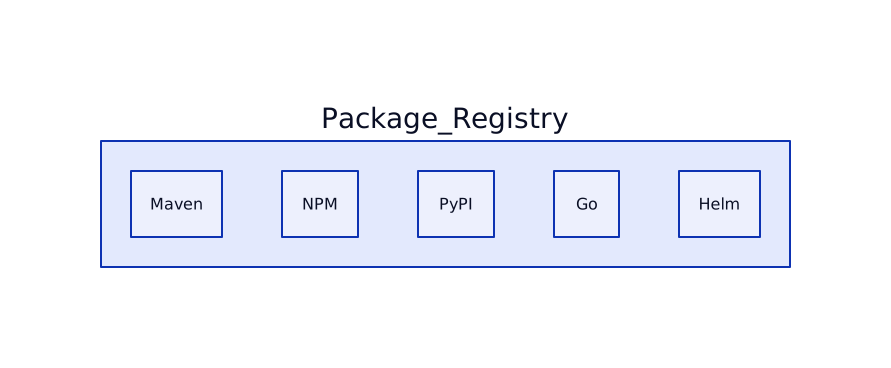
| Package Management | Maven, NPM, PyPI, Conan, Go, Helm – all in one | Limited to few ecosystems |
| Self‑Hosted & GitLab‑Runner | Run pipelines on your own hardware, full control over costs | GitHub Actions runners can be self‑hosted but less integrated |
| Wiki & Pages | Built‑in wiki, GitLab Pages (static site hosting) | Separate GitHub Wiki, GitHub Pages (needs separate repo) |
| Permissions Model | Granular role‑based access, per‑project and group levels | Simpler, less flexible for advanced use cases |
How It Collapses Entropy to Zero
Entropy in software tooling is the unnecessary variety of services you must manage. GitLab’s “single‑source‑of‑truth” model means:
- One configuration file –
.gitlab-ci.ymldrives CI, CD, security scans, and deployments. - Unified UI – All pipelines, issues, merge requests, and containers live under the same navigation tree.
- Single authentication – One token works for API, CLI, and UI, removing credential sprawl.
- Self‑hosted optionality – You can run the entire stack on a personal VM, erasing external dependencies.
When every step lives in the same system, the information entropy of your workflow drops to zero: there’s no hidden state elsewhere.
D2 Diagrams
Below are a series of D2 diagrams that illustrate GitLab’s end‑to‑end flow for a solo developer.
1. High‑Level Workflow Overview

2. Integrated CI/CD vs Separate Services

3. Self‑Hosted Runner Architecture

4. Security Scanning Pipeline

5. Issue Hierarchy & Epics

6. Package Management Consolidation
Practical Tips for Solo Developers
- Enable Auto‑DevOps: One click
(
Settings → Auto‑DevOps) gives you a full pipeline with security scans, container builds, and deployment. - Use GitLab CI Variables: Store secrets once; they are available to all jobs without extra tools.
- Leverage the Built‑In Wiki: Keep documentation alongside code – no separate repo needed.
- Run a Local Runner: Spin up a cheap VM, install
gitlab-runner, and keep your CI cost‑free. - Adopt Issue Boards: Use simple columns
(
To‑Do,In‑Progress,Done) and drag‑and‑drop – no external kanban tool.
Summary
For a solo developer, GitLab provides a single, coherent platform that eliminates the need for multiple services, thereby collapsing entropy to zero. You get CI/CD, security, container registry, package management, and project planning all under one roof, reducing context‑switching, credential management, and operational overhead.
Written by Nur Azhar on 2026‑06‑24. This post is meant as a personal guide, not a formal benchmark.